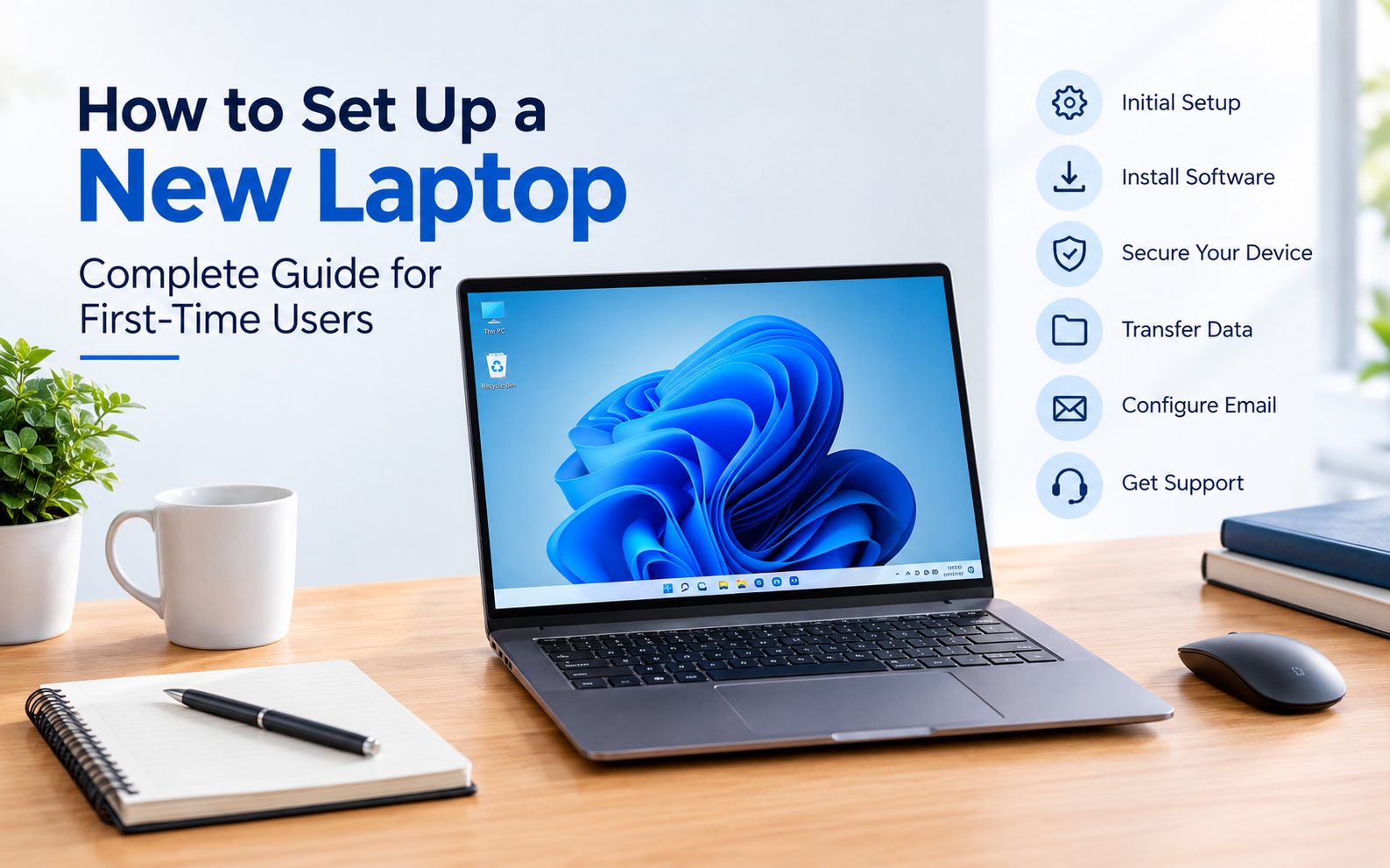
How to Set Up a New Laptop: Complete Guide for First-Time Users
Buying a new laptop is exciting, but getting it ready for everyday use involves more than simply turning it on. A proper new laptop setup helps you configure the operating system, install essential software, transfer important files, secure your device and personalize the system according to your needs.
Whether you are setting up a laptop for work, education, business or personal use, following the right steps can help you get started smoothly.
1. Complete the Initial Laptop Setup
When you switch on your new laptop for the first time, Windows or the installed operating system will guide you through the initial configuration.
During this process, you may need to:
- Select your language and region
- Connect to a Wi-Fi network
- Sign in with or create an account
- Set a device password or PIN
- Configure basic privacy settings
- Install available system updates
Take your time during this stage because these settings form the basic configuration of your laptop.
2. Update the Operating System and Drivers
One of the most important steps after purchasing a laptop is checking for operating system and driver updates.
Updates can include:
- Security improvements
- Hardware driver updates
- System performance improvements
- Compatibility fixes
- Feature updates
Make sure the laptop is connected to a stable internet connection before starting major updates.
3. Install Essential Software
A new laptop usually requires additional software depending on how you plan to use it.
For example, a business user may need productivity applications, email software, PDF tools and communication applications, while a student may require educational and document-management software.
Before installing applications, always download software from trusted and official sources. Avoid unauthorized or pirated software, as it can create security and performance problems.
4. Set Up Your Email and Accounts
If the laptop is being used for work or business, configuring your email account is an important part of the setup process.
You may need to configure:
- Business email
- Microsoft or Google account
- Email applications
- Cloud storage
- Browser profiles
- Other work-related accounts
A properly configured email and account setup makes it easier to start working immediately.
5. Transfer Data From Your Old Laptop
If you are replacing an older laptop, you may need to transfer documents, photos, videos and other important files.
Before transferring data, it is recommended to:
- Identify the important files.
- Create a backup of critical data.
- Organize files into folders.
- Transfer the required data to the new laptop.
- Verify that important files open correctly.
For larger data transfers, using an external storage device or a trusted cloud-storage solution can make the process easier.
6. Create a Recovery or Backup Option
A backup can be extremely useful if your laptop experiences software problems, accidental file deletion or system failure.
Depending on your operating system and requirements, you can consider:
- Creating a recovery drive
- Using cloud backup
- Maintaining an external backup
- Backing up important work files regularly
Having a backup strategy is especially important for business users who work with important documents and customer data.
7. Secure Your New Laptop
Security should be part of your laptop setup from day one.
Some basic security practices include:
- Use a strong password or PIN
- Keep the operating system updated
- Use trusted security software
- Enable available device security features
- Avoid suspicious downloads and links
- Keep important data backed up
Never install unknown applications simply because they are available for free.
8. Organize Your Laptop for Better Productivity
Once the technical setup is complete, organize the laptop according to your daily requirements.
You can create folders for:
- Work
- Personal documents
- Projects
- Finance
- Photos
- Downloads
- Important records
You can also customize your desktop, browser bookmarks and frequently used applications to make everyday work easier.
9. Professional Laptop Setup Can Save Time
For users who are not comfortable with operating system configuration, software installation, data transfer or device settings, professional laptop setup services can simplify the process.
Professional assistance can help with tasks such as device configuration, software installation, OS and driver setup, email configuration, data transfer and other basic onboarding requirements.
SD COMPUTRONIX provides professional laptop setup and technical support services to help customers get their devices ready for everyday use.
Whether you have purchased a new laptop or are moving from an old device, getting the initial configuration done properly can save time and help avoid common setup issues.
10. When Should You Get Professional Laptop Support?
Professional assistance can be useful when:
- You are setting up a laptop for the first time
- You are moving from an old laptop to a new one
- You need help transferring important data
- You need operating system or driver configuration
- You need software or email setup
- Your laptop is experiencing software-related issues
- You need assistance with printer or network configuration
Getting professional help can also be useful for businesses that need multiple laptops configured with the required software, accounts and settings.
Why Choose SD COMPUTRONIX for Laptop Setup?
Setting up a laptop involves several small but important technical steps. SD COMPUTRONIX helps customers with laptop setup, software configuration and technical support so they can start using their devices without dealing with complicated setup processes themselves.
Depending on the requirement, professional laptop support can help with system configuration, software installation, data transfer, troubleshooting and other computer-related services.
Conclusion
Setting up a new laptop properly can make a significant difference to your everyday experience. From operating system updates and software installation to data transfer, backups and security configuration, each step helps prepare your device for reliable use.
If you prefer professional assistance instead of handling the complete setup yourself, SD COMPUTRONIX provides laptop setup and technical support services to help customers configure and maintain their devices.
For laptop setup, servicing or technical support, contact SD COMPUTRONIX to discuss your requirements.
Frequently Asked Questions
How long does it take to set up a new laptop?
The time depends on the laptop, software requirements, system updates and the amount of data that needs to be transferred.
Should I update Windows on a new laptop?
Yes. Checking for available operating system and driver updates is an important part of setting up a new laptop.
Can I transfer data from my old laptop to a new laptop?
Yes. Documents and other supported files can be transferred using external storage, cloud storage or other suitable methods.
Do I need professional laptop setup services?
Not necessarily. Users who are comfortable with system configuration can set up their laptop themselves. Professional assistance can be useful when you need help with software installation, email configuration, data transfer or other technical tasks.
Does SD COMPUTRONIX provide laptop setup support?
Yes. SD COMPUTRONIX provides laptop setup and technical support services for customers who need assistance with device configuration, software setup, data transfer and other computer-related requirements.